
Before you initialize the Beat, you must have the Open Collector installed. If you do not already have it installed, follow the instructions in the Open Collector Installation and User Guide, and then return to this topic.
The auth code generated in step 8 of this procedure has a lifetime of approximately five minutes. You should complete this step after you have configured everything in Google Workspace and confirmed that the Open Collector is running.
-
Confirm the Open Collector is running:
./lrctl statusYou should see the open_collector and metrics as shown in the following graphic:

If the Open Collector is not running correctly, see the
Troubleshoot the Open Collectortopic in the Open Collector Installation and User Guide.
-
Start the beat:
./lrctl gsbeat start
A prompt opens to input the contents of the .JSON credentials file you downloaded from the project.
The .JSON file will look similar to the following:

-
Copy and paste the contents of the .JSON credentials into your terminal. This is stored in encrypted format in configuration file.

-
Press Enter twice to generates a URL, highlighted in red below.

-
Copy and paste the URL into your browser, and then press Enter.
-
Sign in to the same account you used to configure Google Workspace.
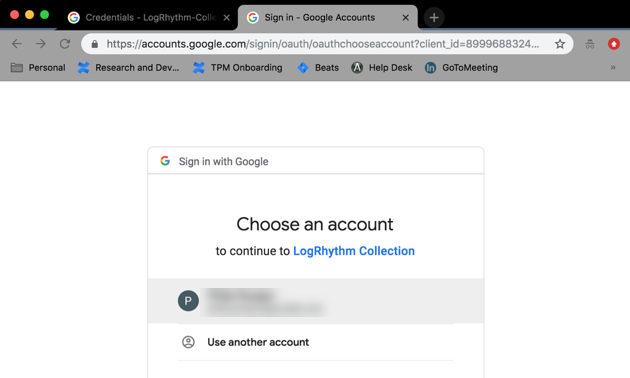
-
To allow the application to view audit reports, click Allow.
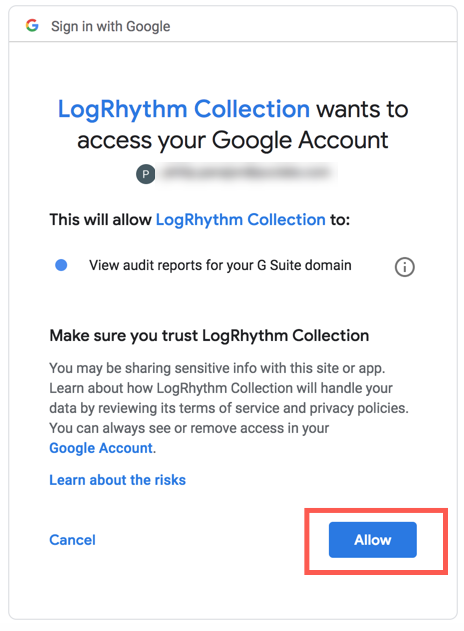
-
Copy the auth code from the URL of the page that may fail to load.
The auth code is the string of text that appears after "token&code=" but before "&scope".For example, in the sample URL below, the Auth Code is abc123xyz345qrstuv989.
localhost/?state=state-token&code=abc123xyz345qrstuv989&scope=https://www.googleapis.com/auth
-
Paste the auth code into the Open Collector, and then press Enter. The auth code is stored in encrypted format in the configuration file.

The default applications that the Open Collector will collect logs for are visible beside the red arrow below:

-
Press Enter.
The Google Workspace Beat config file has been successfully created.
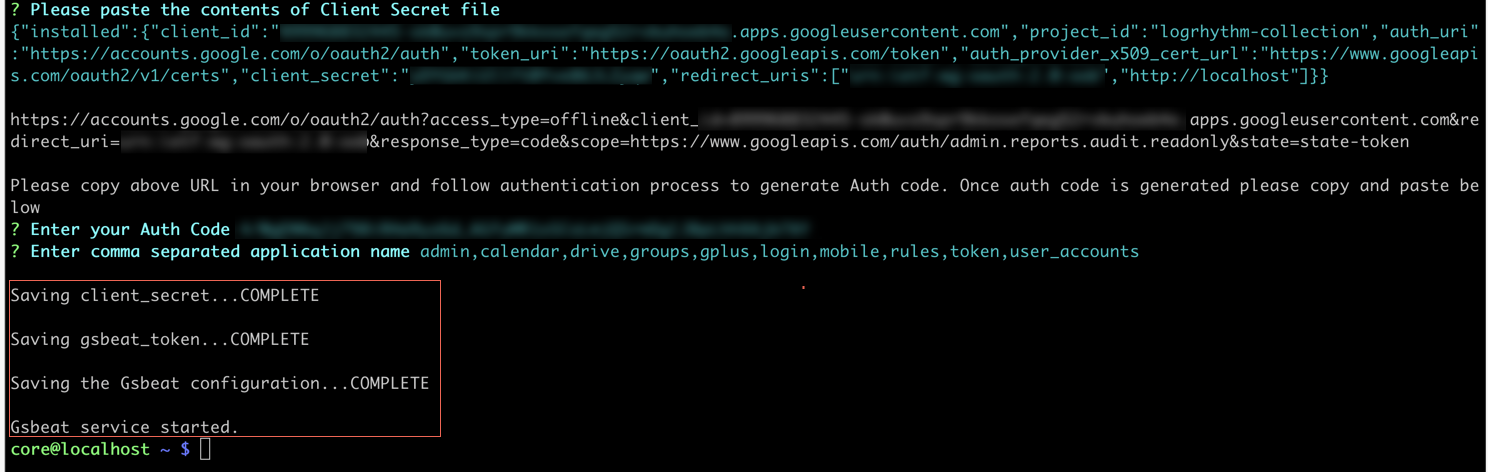
Default Config Values for GSBeat:
|
S. No. |
Field Name |
Default Value |
|---|---|---|
|
1. |
project |
User Provided |
|
2. |
HeartbeatInterval |
1m0s |
|
3. |
HeartbeatDisabled |
false |
|
4. |
ClientSecretPath |
/beats/gsbeat/config/client_secret.json |
|
5. |
Splitogs |
items |
|
6. |
AuthCode |
User Generated |
|
7. |
ApplicationName |
admin,calendar,drive,groups,gplus,login,mobile,rules,token,user_accounts |
|
8. |
MaxResults |
1000 |
|
9. |
NumofBackDays |
0 |
|
10. |
UserKey |
all |
|
11. |
delayedTimeMin |
2 min |