
Prerequisites
-
The Open Collector is installed. If you have not already installed it, follow the instructions in the Open Collector Installation and User Guide, and then return to this topic.
-
Requires an API Key, obtained during the steps outlined in Configure the Tenable Portal.
-
System Monitor version 7.24 or higher is installed.
-
JSON Parsing is enabled. For more information, refer to Configure Beats for JSON Parsing.
-
The following port is open:
|
Direction |
Port |
Protocol |
Source |
|---|---|---|---|
|
Outbound |
443 |
HTTPS |
Tenable Beat |
Initialize the Beat
-
To confirm the Open Collector is running, run the following command:
./lrctl statusYou should see the open_collector and metrics as shown in the following graphic:

If the Open Collector is not running correctly, see Troubleshoot the Open Collector in the Open Collector Installation and User Guide.
-
In the Open Collector, run the following command:
./lrctl tenablebeat start
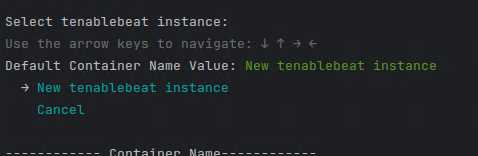
-
Enter a unique identifier for the beat instance.

-
Enter the Access Key obtained during the steps outlined in Configure the Tenable Portal.

-
Enter the Secret Key obtained during the steps outlined in Configure the Tenable Portal.

-
Enter Number of BackDays data to be fetched, where the maximum value is 30 and the minimum value is 0:

-
Enter the interval in minutes “m” for the API call.
Ensure that you include “m” for minutes after the numeric value. For example, “6m”.

-
Enter the hostname or IP and Port Number of the Sysmon JSON Parser.

-
Press Enter.
The beat starts successfully, and displays the following output:
