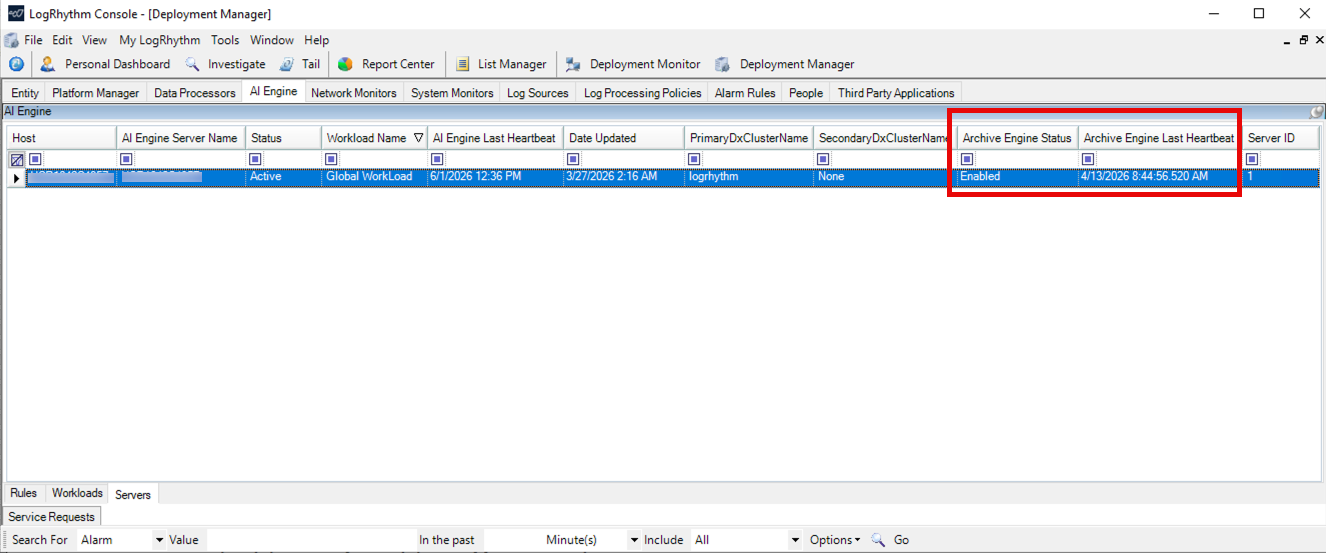
Starting with LogRhythm SIEM version 7.25.0, a new stand-alone Archive Engine service (not a component of AIE) now helps in routing a copy of all generated AIE Events into the standard LogRhythm archiving service. Each event is processed and written into the daily archive flat files, just like any other log message.
Enable or Disable Archive Engine
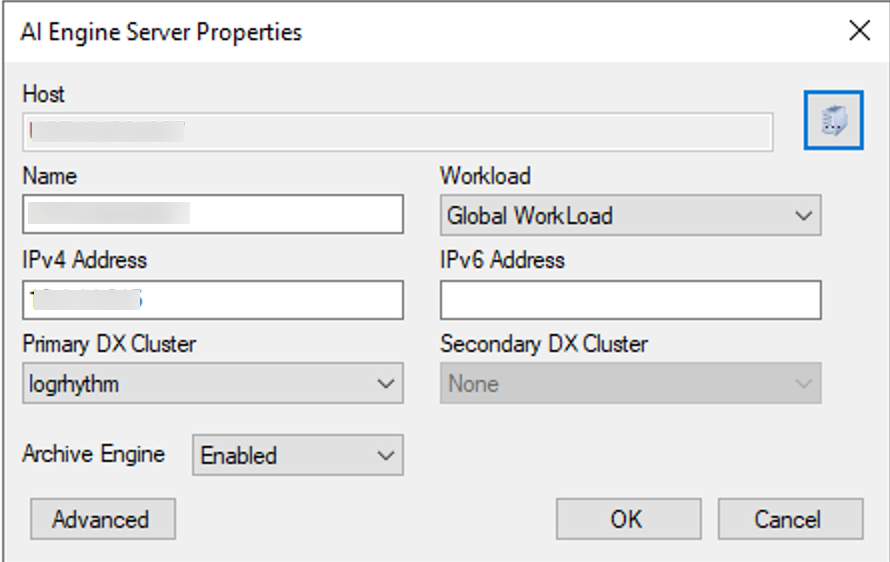
AI Engine Server properties give the option to enable or disable Archive Engine. Refer to Configure the Advanced Intelligence Engine for more information on modifying AI Engine Server properties.
By default, the Archive Engine is disabled when initially installing or upgrading to LogRhythm SIEM 7.25.0.
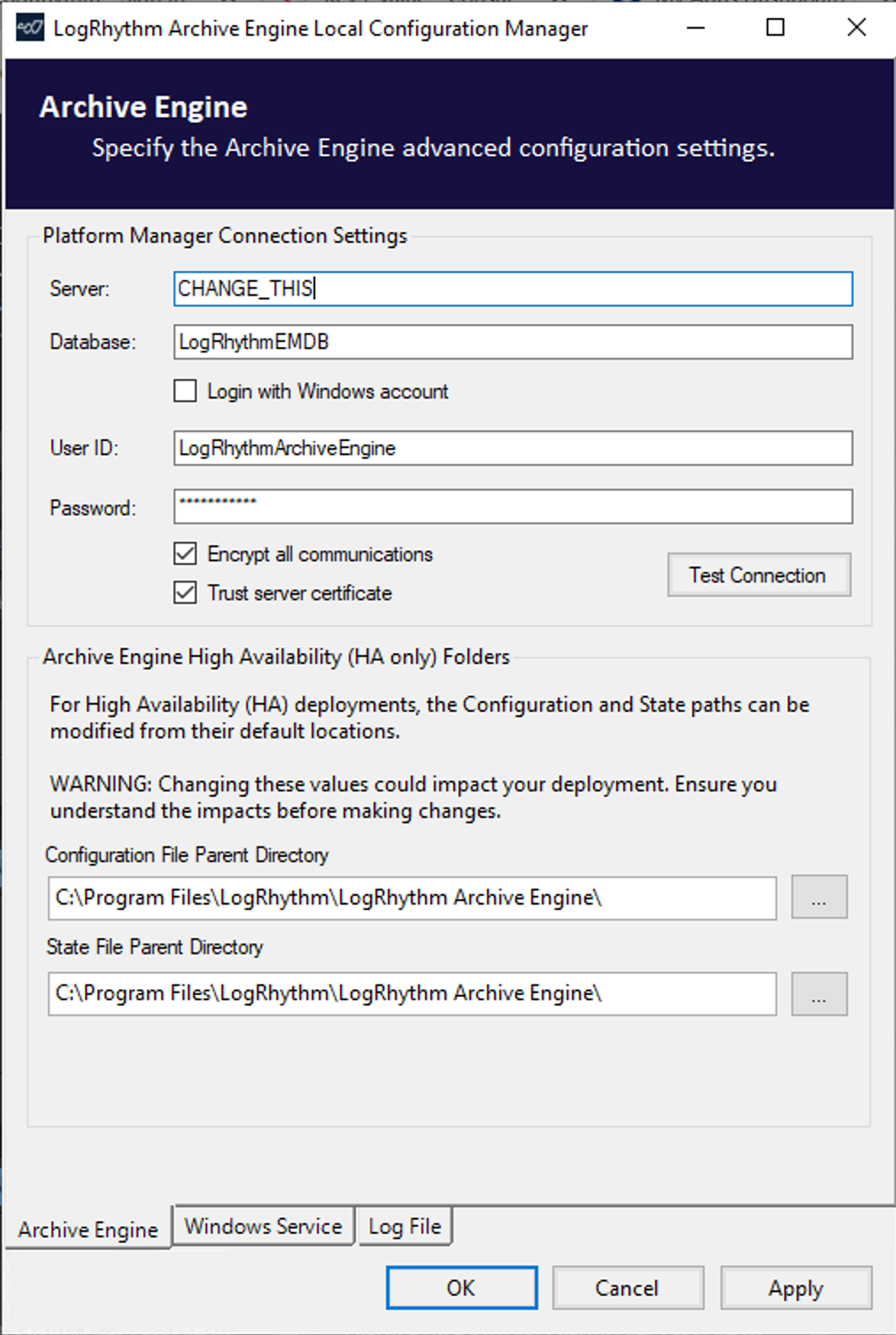
Archive Engine Configuration Manager
The LogRhythm Archive Engine has its own Configuration Manager tool, which is used to setup user credentials, the service account, and other necessary settings. This screen appears after installation of the LogRhythm SIEM when the Archive Engine was also installed. Refer to Use the LogRhythm Configuration Manager for more information on this process.
Modify Archive Engine Settings
Once the Archive Engine is enabled, you can see the Archive Engine listed in the Component column of the AI Engine Server Advanced Property window. For more information on accessing the AI Engine Server Advanced Properties, refer to Configure the Advanced Intelligence Engine.
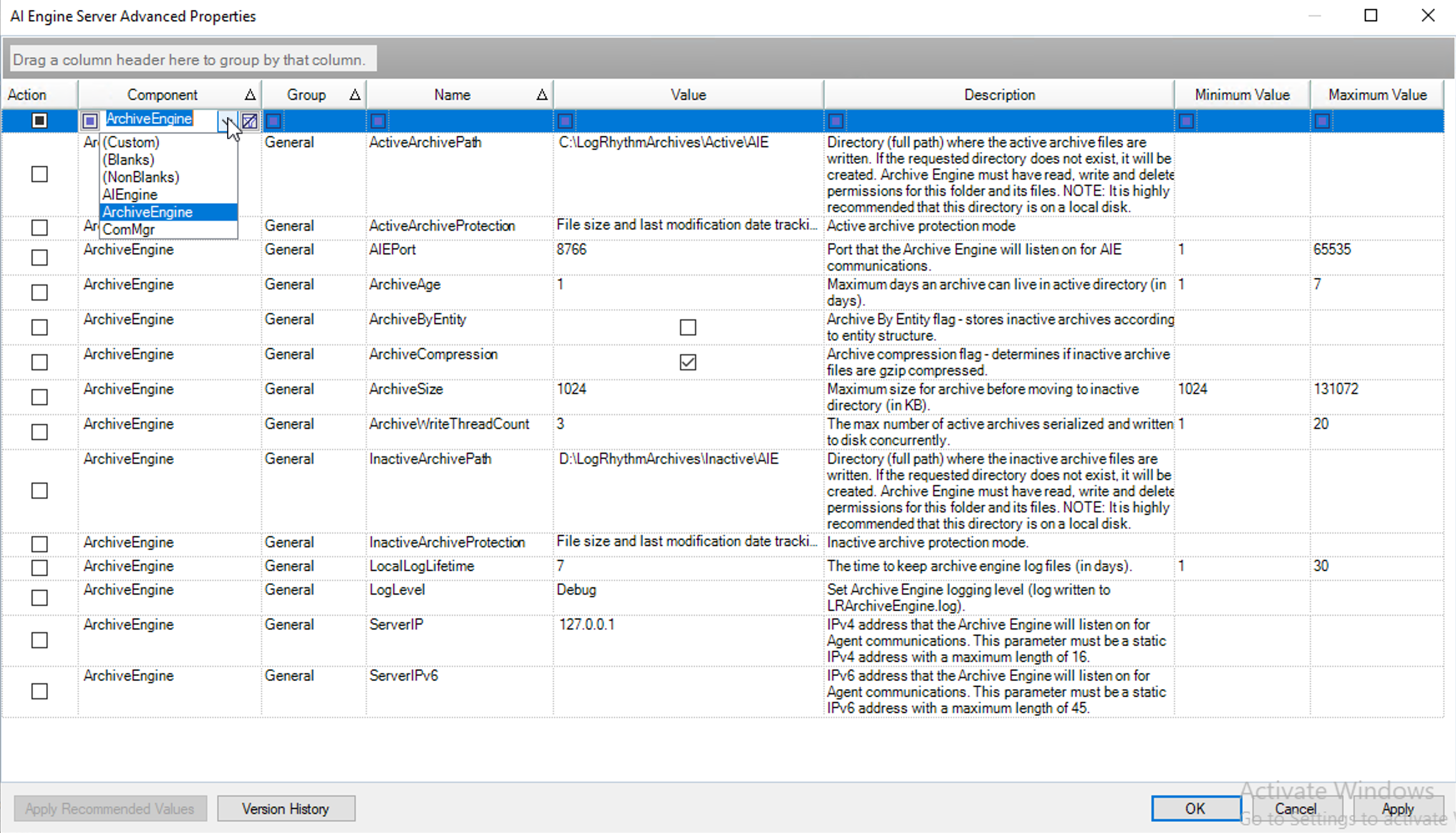
The following properties are available for the Archive Engine:
|
Property |
Range |
Default |
Description |
|---|---|---|---|
|
ActiveArchivePath |
N/A |
C:\LogRhythmArchives\Active\AIE |
Archiving directory path (full path to the directory in which archive files are written). If the requested directory does not exist, it is created. |
|
ActiveArchiveProtection |
N/A |
File size and last modification date tracking. |
Select one of the active archive protection modes:
|
|
AIEPort |
N/A |
8766 |
Port that the Archive Engine listens on for AIE communications. |
|
ArchiveAge |
1-7 |
7 |
Maximum number of days an archive can live in active directory. |
|
ArchiveByEntity |
N/A |
Disabled |
Stores inactive archives according to entity structure. |
|
ArchiveCompression |
N/A |
Enabled |
Determines if inactive archive files are .gzip compressed. |
|
ArchiveSize |
1024-131072 |
10240 |
Maximum size for archive before moving to inactive directory (in KB). |
|
ArchiveWriteThreadCount |
1-20 |
3 |
The maximum number of archives that will be serialized and written to disk concurrently. |
|
InactiveArchivePath |
N/A |
D:\LogRhythmArchives\InActive\AIE |
Directory (full path) where the inactive archive files are written. If the requested directory does not exist, it is created. |
|
InactiveArchiveProtection |
N/A |
Full SHA1 hashing of archive files |
Select one of the inactive archive protection modes:
|
|
LocalLogLifetime |
1-30 |
7 |
The number of days to keep archive engine log files. |
|
LogLevel |
N/A |
VERBOSE |
Sets the Archive Engine logging level (log written to ArchiveEng.log) |
|
ServerIP |
N/A |
127.0.0.1 |
IPv4 address that the Archive engine will listen on for AIE events communications. This parameter must be a static IPv4 address with a maximum length of 16 |
|
ServerIPv6 |
N/A |
N/A |
IPv6 address the Archive engine listens on for AIE event communications. This parameter must be static IPv6 address with a maximum length of 45. |
Check Archive Engine Status
To check the Archive Engine’s last heartbeat and status:
-
On the main toolbar, click Deployment Manager.
-
Click the AI Engine tab.
-
Click on the Servers tab.