
Prerequisites
-
Open Collector is installed. If you have not already installed it, follow the instructions in the Open Collector Installation and User Guide, and then return to this topic.
-
A username and password have been generated in the Symantec WSS portal.
For more information on generating a username and password, see the Cloud SWG API Authentication documentation.
-
The following port is open:
Direction
Port
Protocol
Source
Outbound
443
HTTPS
symantecwssbeat
Initialize the Beat
-
Confirm Open Collector is running:
./lrctl statusYou should see the open_collector and metrics versions:

If Open Collector is not running correctly, see Troubleshoot the Open Collector in the Open Collector Installation and User Guide.
-
In the Open Collector, run the following command to start the beat:
./lrctl symantecwssbeat start
-
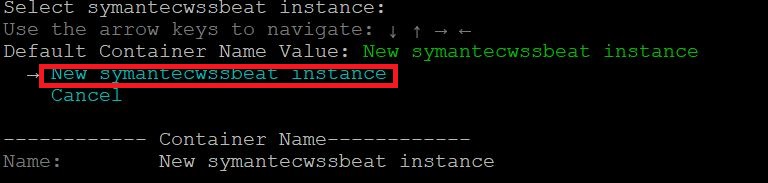
Using the arrow keys, select New symantecwssbeat instance from the list and press Enter.
-
Enter a unique identifier for this symantecwssbeat instance and press Enter.

-
Enter the previously configured Username for authentication and press Enter.

-
Enter the previously configured Password for authentication and press Enter.

The symantecwssbeat service started message appears.

-
(Optional.) To check the status of the service, run the following command:
./lrctl symantecwssbeat status
Default Config Values for Symantec WSS Beat
|
S.No |
Field Name |
Default Values |
|---|---|---|
|
1 |
heartbeatinterval |
60s |
|
2 |
heartbeatdisabled |
false |
|
3 |
period |
2s |
|
4 |
throttlingIntervalSecs |
60 This field value should always be greater than 0.
|
|
5 |
numbackhoursData |
2 The Symantec WSS Beat supports up to 180 hours of backlog data. The range for this value is 1-180 hours.
|
|
6 |
next_call_duration_in_min |
30 This field value should always be greater than 0.
|
|
7 |
symantecwss_url |
Cloud domain provided by the user. |
|
8 |
limit |
1000 The supported limit range is 1-1000.
|