
This guide outlines the procedure to initialize the Salesforce Audit Beat configuration using the Open Collector.
Prerequisites
-
Acquire a Client ID and Client Secret, as outlined in Configure the Salesforce Portal.
-
Ensure that System Monitor System Monitor version 7.21 or higher is installed, with JSON parsing enabled. For more information on enabling JSON parsing, refer to Configure Beats for JSON Parsing.
-
The following port must be open:
|
Direction |
Port |
Protocol |
Source |
|---|---|---|---|
|
Outbound |
443 |
HTTPS |
Salesforce Audit Beat |
Initialize the Beat
-
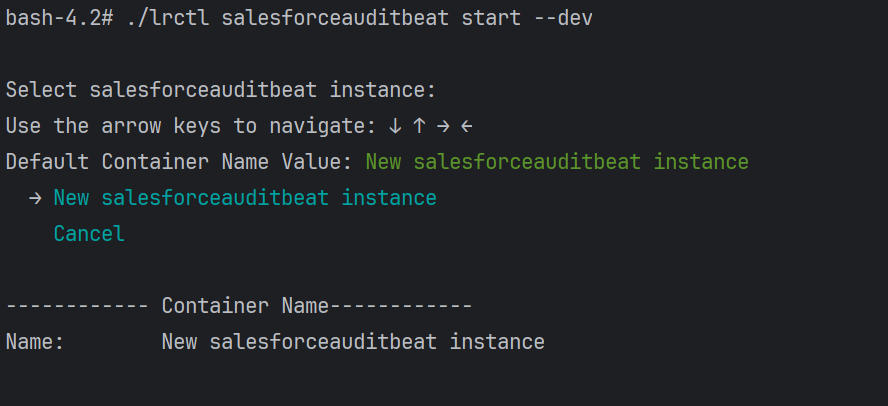
Execute the following command to begin configuring the Salesforce Audit Beat:
./lrctl salesforceauditbeat start -
Using the arrow keys, select New salesforceauditbeat instance and press Enter.
-
Provide a unique identifier for this Beat instance, then press Enter.

-
Enter your Salesforce Base URL, and then press Enter.

-
Input the Client ID for Salesforce configuration, and then press Enter.
The Client ID was obtained during the steps outlined Configure the Salesforce Portal.

-
Enter the Client Secret for Salesforce configuration, and then press Enter.
The Client Secret was obtained during the steps outlined in Configure the Salesforce Portal.

-
Specify the Log/Event Type.
Several log/event types are displayed by default. To fetch all types, simply press Enter, or remove or add specific types from the list to target particular data.

-
Enter the Number of Back Days data to be retrieved.
The minimum value is 0, and the maximum is 30.

-
Enter the limit on number of events to fetch in single API call.
The default is 1000 events, with a minimum of 250 and a maximum of 3000.

-
Enter the hostname or IP address of the machine where the System Monitor JSON Parser version 7.21 or greater is installed.

-
Enter the port for data transmission.
The default is pre-populated as 5044.

-
Press Enter.
The configuration has been saved, and the service has started successfully. -
To check the status of the service, run the following command:
./lrctl salesforceauditbeat status