This page outlines the procedure for configuring the Salesforce portal to allow you to collect logs via the Salesforce Audit Beat. The goal is to obtain a Client ID and Client Secret.
You must have administrator rights in the Salesforce portal to perform the actions described on this page.
Salesforce Configuration
To obtain a Client ID and Client Secret in the Salesforce portal:
-
In Salesforce, create a new Connected App.
-
Under the API section, enable OAuth Settings.
This will allow you to obtain API credentials. -
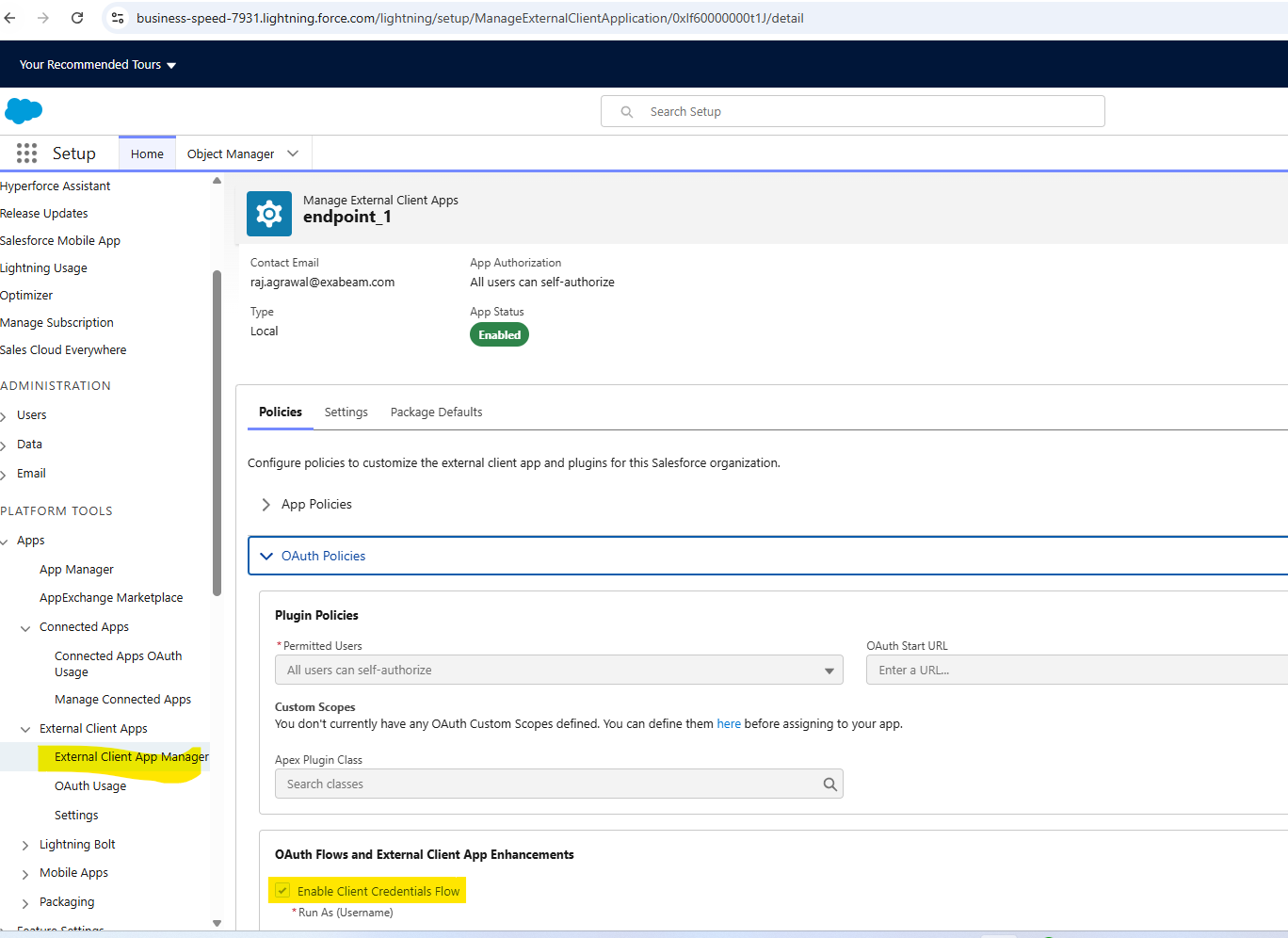
Check the box for Enable Client Credentials Flow and select the api scope.
This authorizes your app to access Salesforce APIs.
-
Assign a specific Salesforce user to the Connected App.
This user, often a dedicated integration user or service account, determines the permissions and data access for your external application. The app will act on behalf of this user. -
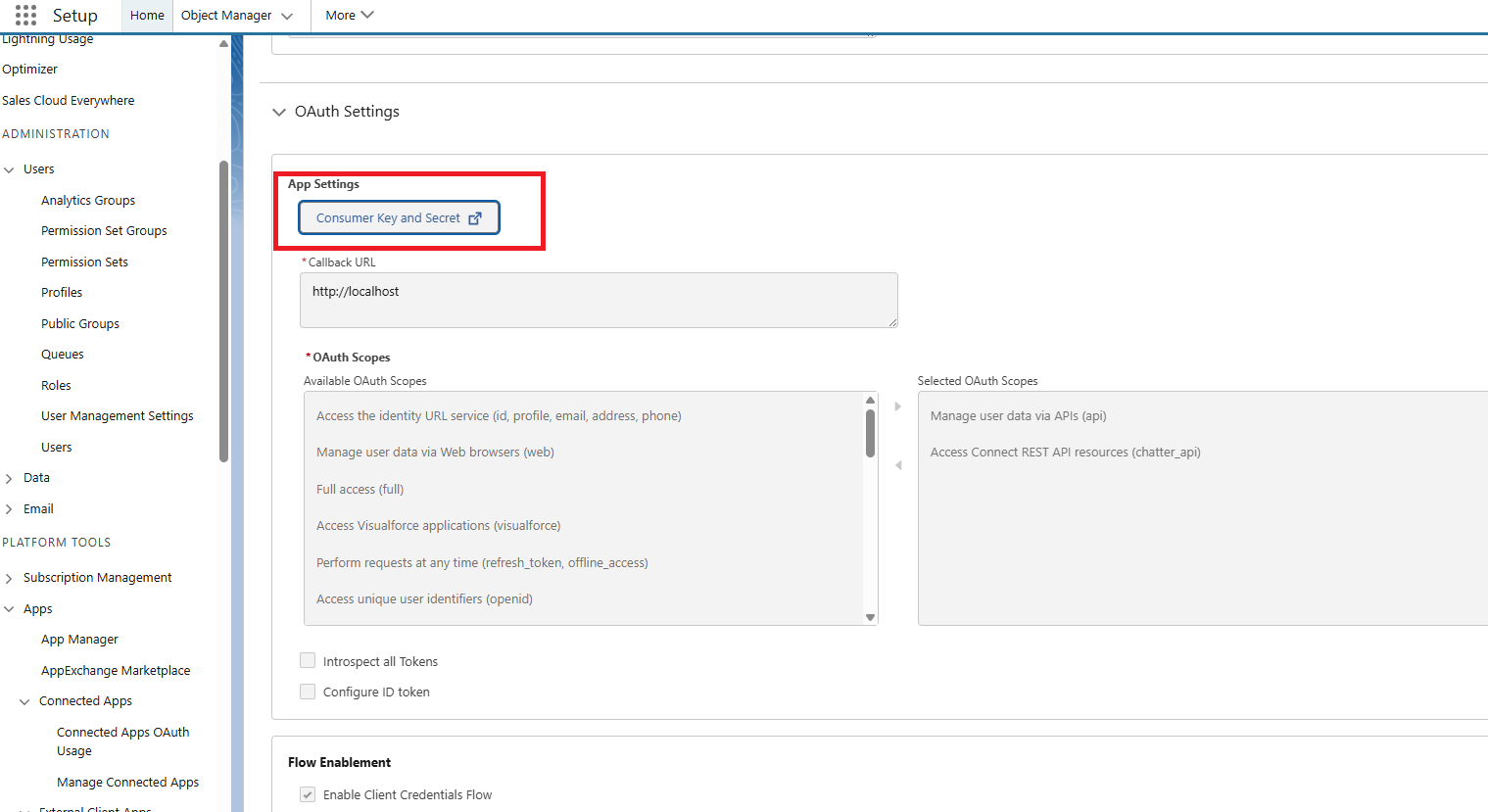
Once the Connected App is saved, expand the OAuth Settings and click the Consumer Key and Secret button to generate a Client ID and Client Secret for use with the Salesforce Audit Beat.
Be sure to store these keys in a secure location, as once the window is closed they cannot be accessed again.