Skip to main content
All Exabeam Docs
API Docs
Community
Academy
Support
7.26.0
7.25.0
7.24.0
7.23.0
7.22.0
7.21.0
7.20.0
7.19.0
7.18.0
Main navigation
Close navigation
7.26.0
7.25.0
7.24.0
7.23.0
7.22.0
7.21.0
7.20.0
7.19.0
7.18.0
Main
All Exabeam Docs
API Docs
Community
Academy
Support
Main
LogRhythm Release Notes
Get Started with LogRhythm SIEM
Client Console Administrator Guide
Client Console Analyst Guide
Web Console User Guide
Alarms
Analyzer Grid
Case Management
Cloud to Cloud Log Collection
Dashboards
Data Indexer (DX) Dashboards
Lists in Web Console
Log Collection in Web Console
Playbooks
Reports
SecondLook - Web Console
Single Sign-On
TrueIdentity
User Interface
User Settings
Access Web Console Help
Change the Default Web Console Search Timeout Period
Change the Web Console NGINX Configuration to Modify Available Ciphers
Change Web Console Password
Configure Navigation Warning
Configure Search Results
Select Query Location
Set the Date Time Format
Set Your Drilldown Preference
Switch Between Day and Night Modes
Search
Widgets
LogRhythm Schema Dictionary and Guide
Other LogRhythm Applications
Understand the LogRhythm Architecture
Find More Information
Download PDFs
Breadcrumbs
Home
LogRhythm SIEM
Web Console User Guide
On this Page
User Settings
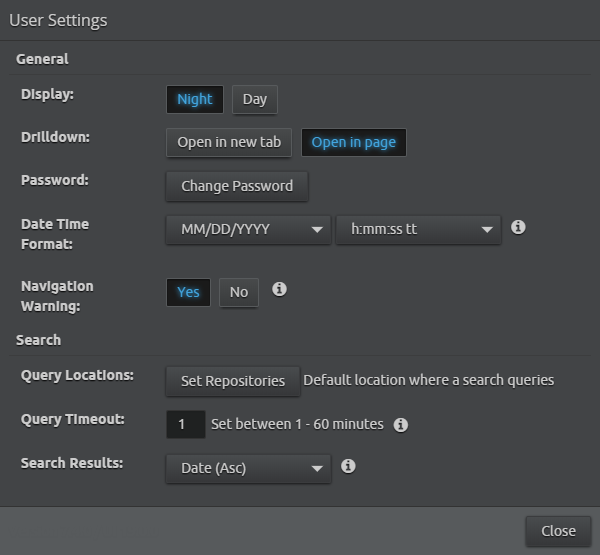
The Web Console User Settings allow you to perform several basic administration tasks.