
HA systems must be configured to interact with each other across both a Public interface, which is the network connection that is visible to the log sources, as well as a Private interface. The Private interface is the network that has no visibility other than the two members of the cluster.
It is recommended that the Public interface for each node be connected to a different switch to avoid the switch becoming a single point of failure in the configuration.
Failure to do so results in both nodes going out of service when the switch goes down, and user intervention will be required to restore services.
Repeat the following steps on each HA system.
Set Static IP Addresses and Rename NICs
NIC1 on each system should be connected to the production network, and NIC4 on each system to each other using the provided crossover cable in a single site setup.
-
Crossover cable connecting Private interfaces on each
-
Use IP Addresses that are not used in the customer’s environment
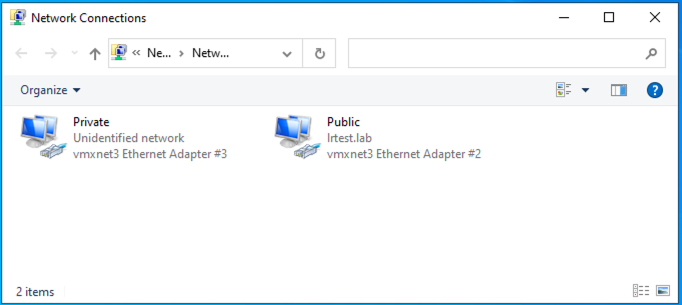
The NICs should also be labeled Public or Private accordingly.
Set the Interface Metrics
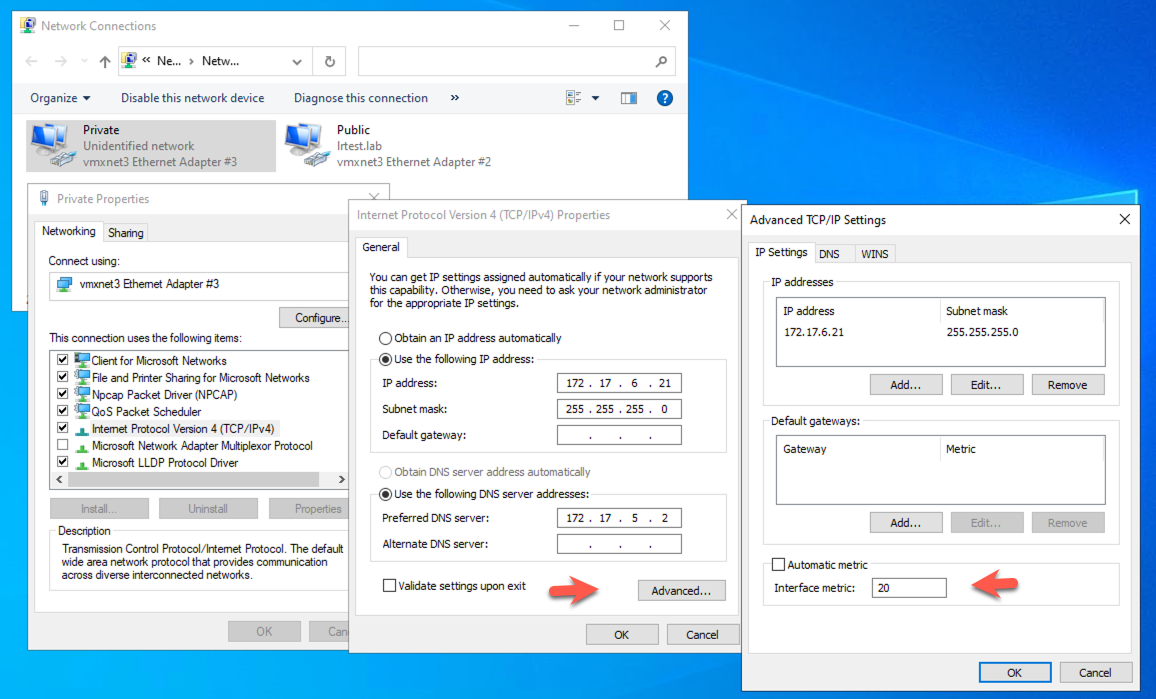
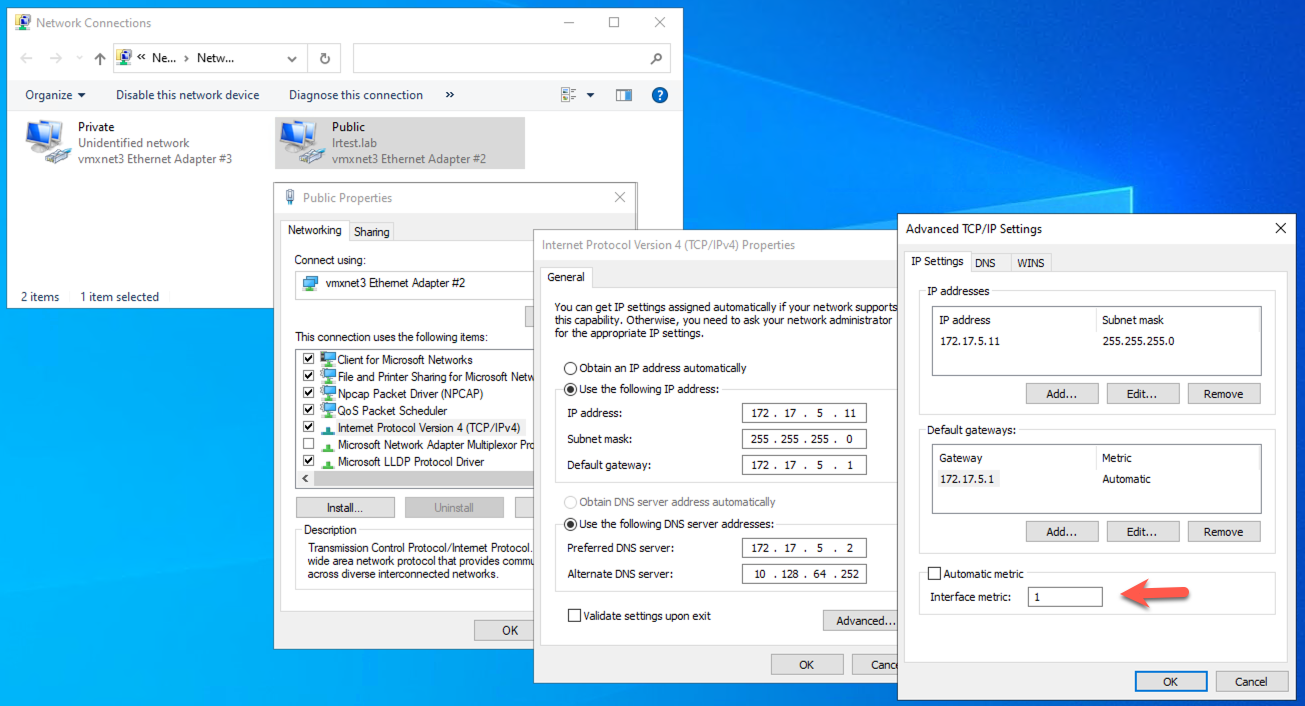
The NIC Interface Metrics order must be set so that the Public NIC has its metric set to 1 and the Private NIC has its metric set to 20.
Security Policy Considerations
If you encounter issues with the SIOS software not installing properly, you may need to add Debug permissions to the Administrator account. To do this:
-
Click Start, Administrative Tools, and then Local Security Policy.
-
Expand Local Policies.
-
Select User Rights Assignment.
-
Double-click Debug Programs and add the local administrator account.