
This section provides instructions to initialize the Okta beat after configuration. It is primarily focused on the system log to be pulled out from Okta cloud.
Prerequisites
-
Open Collector is installed. If you have not already installed it, follow the instructions in the Open Collector Installation and User Guide, and then return to this topic.
-
Okta Cloud domain name. You can get this from the Okta Developer Console. Follow the instructions here https://developer.okta.com/docs/guides/find-your-domain/findorg/ for more information.
-
Okta Cloud API Token. If you don't have one, follow the instructions here https://developer.okta.com/docs/guides/create-an-api-token/create-the-token/, and then return to this topic.
-
The following port is open:
Direction
Port
Protocol
Source
Outbound
443
HTTPS
oktabeat
Initialize the Beat
-
Confirm Open Collector is running:
./lrctl statusYou should see the open_collector and metrics versions:

If Open Collector is not running correctly, see
Troubleshoot the Open Collectorin the Open Collector Installation and User Guide.
-
Start the beat:
./lrctl oktabeat start
-
Enter the following details:
-
Select New oktabeat instance from the list.
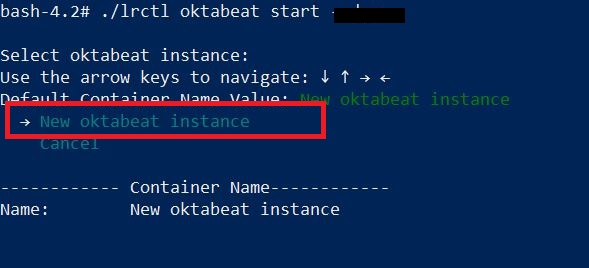
-
Enter the unique identifier for this oktabeat instance.
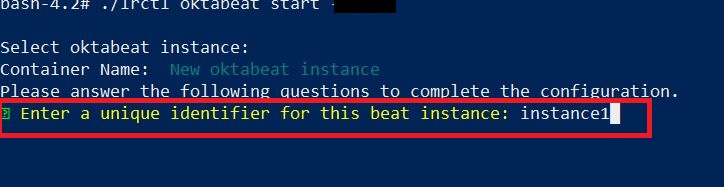
-
Enter the Okta Domain to configure the oktabeat.
Please follow
https://developer.okta.com/docs/guides/find-your-domain/findorg/
for more information.
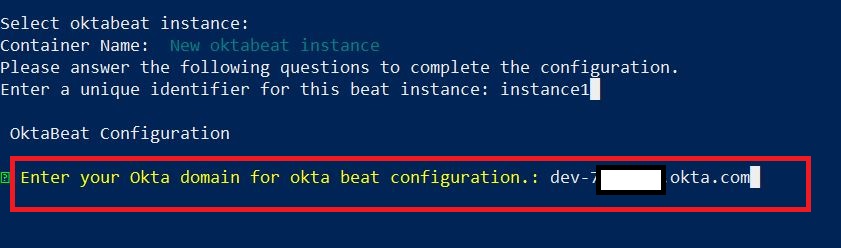
-
Enter the Okta API Key.
If you don't have one then, follow the instructions here
https://developer.okta.com/docs/guides/create-an-api-token/create-the-token/
, and then return to this topic.
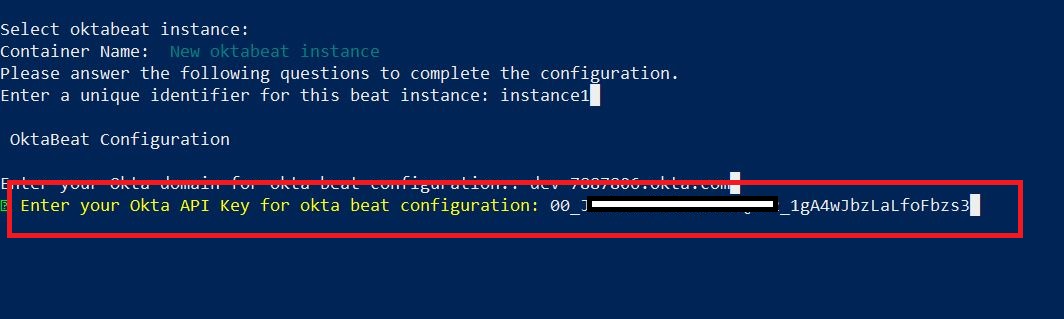
For security purposes the API Key is stored in encrypted format.
The oktabeat service started message appears.

-
-
Check the status of the service:
./lrctl oktabeat status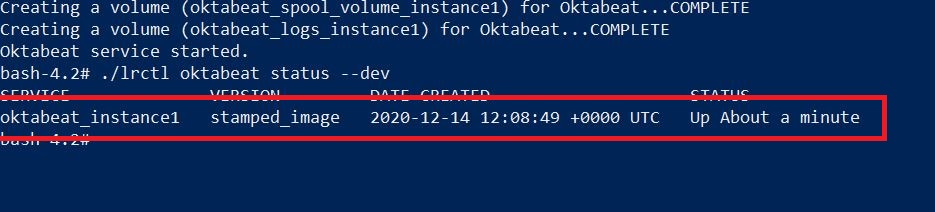
Default Config Values for oktabeat:
|
S.No |
Field Name |
Default Values |
|---|---|---|
|
1. |
heartbeatinterval |
60s |
|
2. |
heartbeatdisabled |
false |
|
3. |
period |
2s |
|
4. |
throttlingIntervalSecs: |
60 Should always be greater than 0
|
|
5. |
numbackdaysData |
7 Number of back days should be a non-negative number. oktabeat supports only 180 days back log data. Therefore the range for this value is 1-180 days.
|
|
6. |
apiKey |
User Provided API token provided by the user
|
|
7. |
oktaURL |
User Provided Okta cloud domain provided by the user
|
|
8. |
limit |
1000 Supported limit range is 1-1000
|
For commands to inspect or edit a configuration, see the configuration information in
Open Collector Installation Tips.